Process cards offline instantly.
Download PVC Pro Standalone Desktop App for Windows. Run 100% offline with zero remote upload delays.
Desktop Pass: ₹99/month · ₹799/year (Unlimited offline prints)
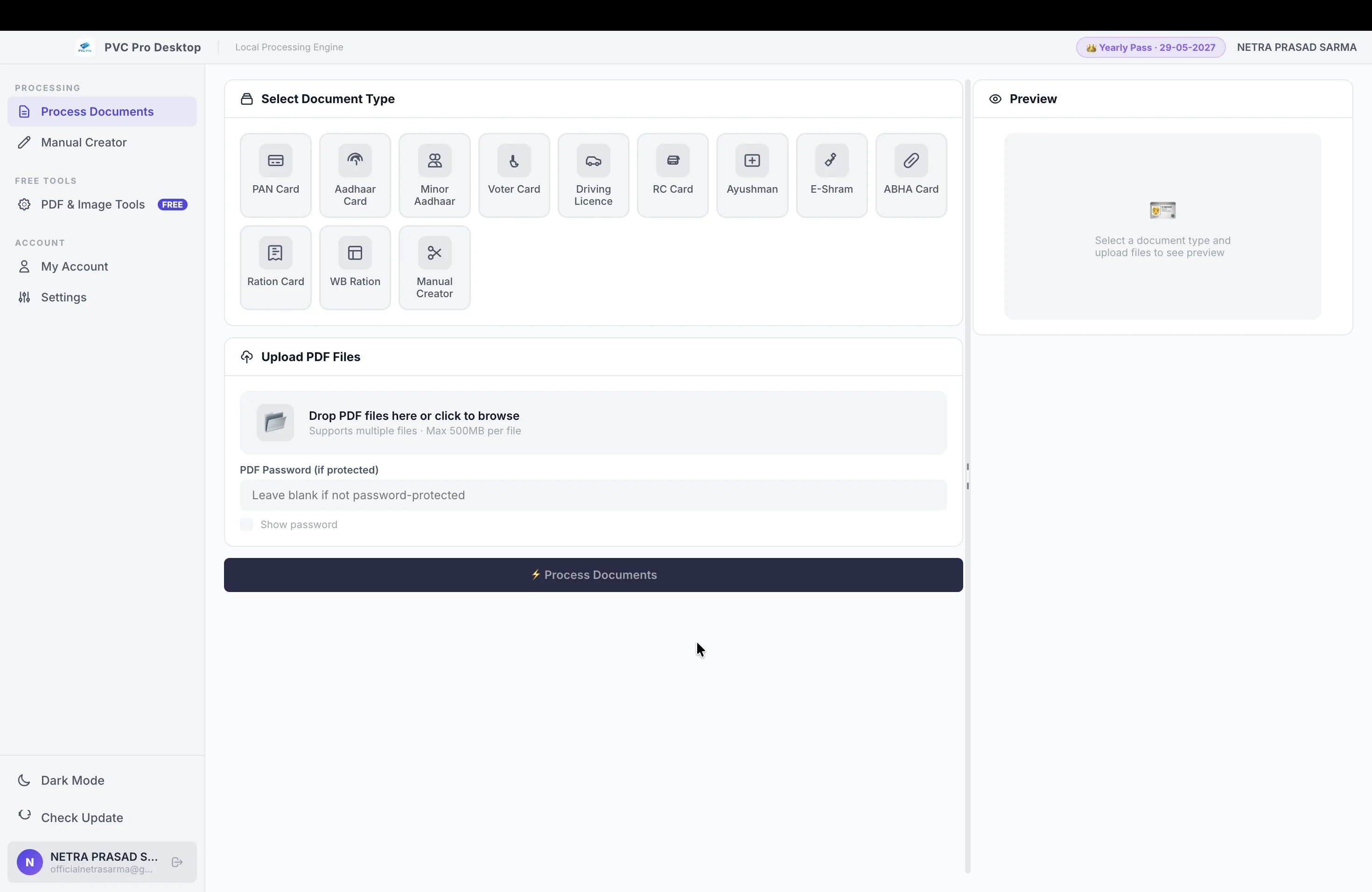
Sub-Second Offline Processing
Bypass internet upload delays entirely. The desktop app crops and formats documents locally in under a second. No loading screens, no waiting for files to send over slow connections.
Unlimited Card Printing
Once licensed, the desktop application runs without consuming a single coin or credit. Crop and generate printable sheets for as many cards as you need, completely free of charge.
Supported Plans & Pricing
Unlock unlimited offline PC processing with either plan:
Unlimited PC Software · ₹1/card on Web
Unlimited PC Software + Web Dashboard
100% Private & Local
Your documents stay on your device. All calculations, text extraction, and PDF rendering are performed locally. Ideal for locations with weak network coverage or strict data isolation rules.
How to Install PVC Pro
Follow one of the two methods below to install the application on your computer.
Run setup.bat
Installs the application and registers our digital cert to prevent any Windows warnings.
- 1Extract the downloaded ZIP archive completely to a folder.
- 2Right-click on
setup.batand select "Run as Administrator". - 3If prompted by Windows User Account Control (UAC), click "Yes".
- 4The setup will automatically register the certificate and open the installer cleanly.
Run Setup Executable
Run the setup file directly. Windows SmartScreen may show a warning on first start.
- 1Double-click the
PVC Pro Desktop Setup.exefile. - 2If Windows displays a SmartScreen warning, click "More info" and then "Run anyway".
- 3Follow the installer instructions on screen to complete the setup process.
- 4The installer registers the digital certificate in the background so all future launches are warning-free.
Free Unlimited Demo Mode
Not sure if the desktop software fits your printer? Anyone can download the app and run it in **Demo Mode**. You can upload files, crop them instantly, and check the generated layouts on your screen for free, without registering or buying any plan.